Changelog

Follow new updates and improvements to Popwork.

Popwork is now on Android
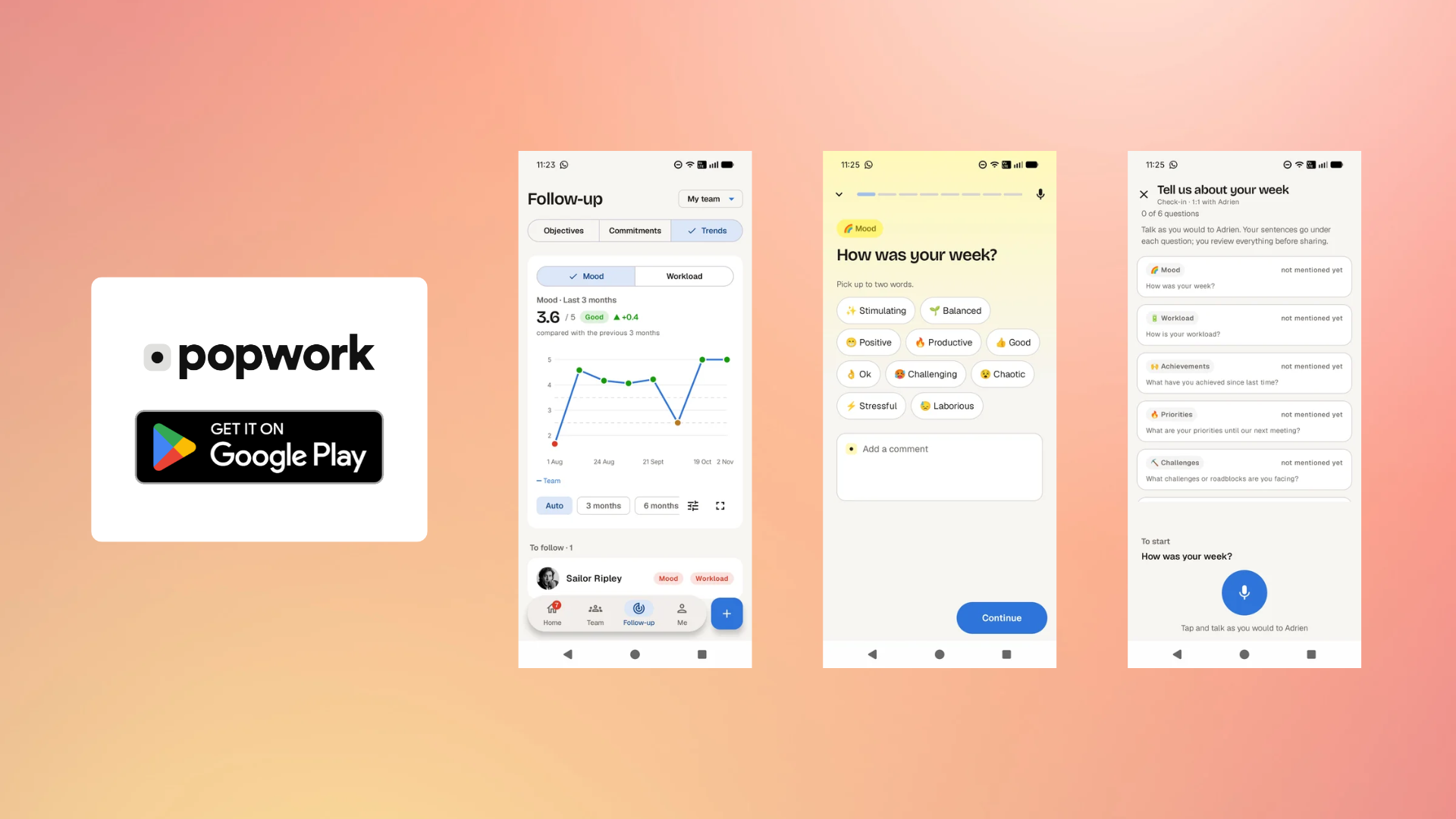
The Popwork Android app is now available on Google Play. Everything you do on Popwork in the browser, you can now do from your phone.

Your rituals, wherever you are 📱

Open Popwork between two meetings, on the train, or five minutes before a conversation that matters.

  • 1:1s. Prepare your next 1:1, take notes during it and find what you agreed on afterwards.

  • Check-ins. Answer your weekly check-in in a few taps, or read your team's answers if you are a manager.

  • Commitments. See what was agreed, and mark it done when it is.

  • Bravos and feedback. Send a Bravo, share a feedback or ask for one, and find everything you received in your Feedbacks tab.

Unique features 🌟

The Popwork Android app enables users to benefit from a few unique features:

  • Vocal mode check-in: Prepare your check-in by leaving a vocal note on Popwork. Popwork will answer all questions from your vocal note and make your proof read it before sharing it

  • Me tab: Click on the Me tab to easily find your new Popwork profile complete with your stats and history of conversations

Notifications that bring you back 🔔

Get a notification when a check-in is waiting, a 1:1 is coming up, or someone sent you a Bravo or a feedback.

Same account, same data 🔄

Sign in with your usual Popwork account. Whatever you do on your phone shows up on the web, and the other way around. Nothing to set up, nothing to migrate.

Get the app

Get Popwork on Google Play and install it on your Android phone or tablet.
https://play.google.com/store/apps/details?id=work.pop.app

New 🆕

Bravos and feedback

Bravos, feedback and feedback requests now live on Popwork: you can send them, receive them and find them later in your workspace.

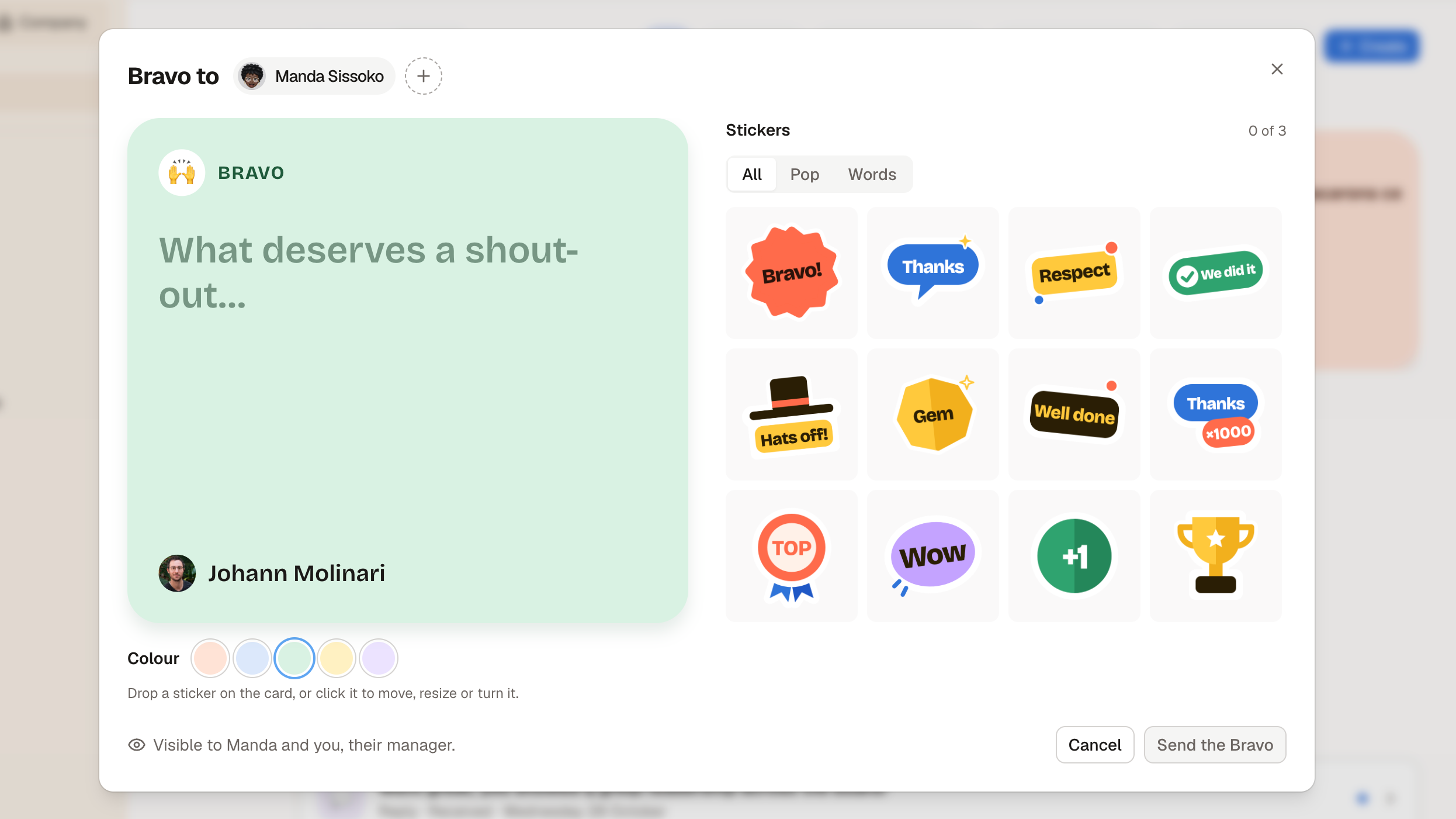
Send a Bravo 🙌

Open + Create in the workspace header or on the manager home, then Send a Bravo.

  • One or several colleagues. Pick the people you want to thank, each one gets their own Bravo.
  • With stickers. Write what deserves a shout-out, then drop stickers on the card. Click one to move it, resize it or turn it.
  • Seen where it matters. The person receives a notification and can see it in the app. Their manager sees it too.

Share feedback, or ask for it 💬

The same + Create menu lets you share a feedback (congratulations, encouragement or a suggestion) with someone. It stays between you and that person.

Employees can also ask their manager for feedback on a specific question. The manager answers with a feedback, and the question stays displayed alongside the reply.

A Feedbacks tab on your home and in each workspace 📥

  • Received or sent. Switch between the two, and filter by type: Bravos, congratulations, encouragement, suggestions.
  • To handle. Requests waiting for your answer sit at the top. On the manager home, the tab shows a count of unread feedbacks and requests to answer.
  • Bravos as cards. Your Bravos and your team's are shown as cards, the other feedbacks as compact rows.
  • In the timeline. In a workspace, feedbacks and pending requests now appear by date among the check-ins, and a check-in with a feedback carries a small tag.

Open a Bravo straight from your e-mail ✉️

The link in the e-mail opens the Bravo on its card, with the latest Bravos received. The person it was sent to can react to it.

Celebrate on the spot 🎉

  • A Bravo shortcut now sits under check-in answers.
  • When a commitment is marked done, Popwork suggests saying congratulations to the person who kept it.

Admins: three new switches 🔐

On the Permissions & visibility page, a new Feedback group lets you turn off:

  • feedbacks shared by managers
  • Bravos sent to colleagues (applies to everyone, managers included)
  • feedback requests sent by employees to their manager

All three are on by default, so nothing changes for existing accounts. Turning one off stops new ones from being sent; replying to a request that was already sent still works.

Smaller improvements

  • Profile pictures show initials while they load, instead of staying blank when an image takes too long to arrive.
  • The workspace menu now opens from a cog, and the options of a ritual card from a vertical ellipsis.
  • Feedback dates show the year when they are not from the current year.

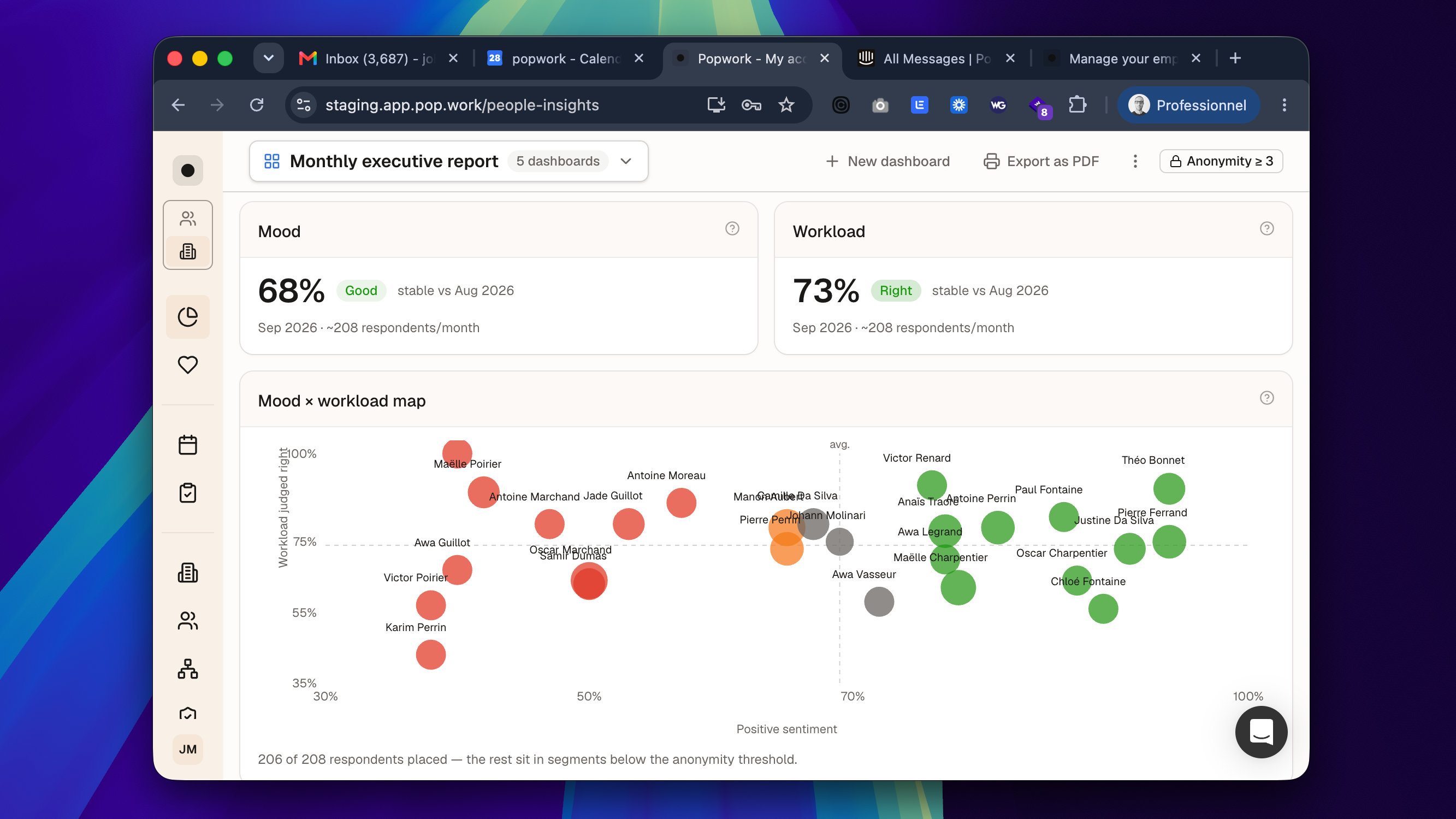
The Dashboard is now your company home

People Insights has graduated from beta.
It is now called Dashboard, it is open to every company account, and it is the first thing admins see when they open Popwork. No request, nothing to activate.

A dashboard from day one

The first time you open it, Popwork builds a ready-to-read dashboard for your company: mood and workload with their trends, a breakdown by division (or by team while your organization is not filled in yet), areas to watch, and adoption and ritual regularity.


It opens on the current month, compared with the same days before, which makes it a good page for your monthly review.

Build the views you need

  • Start from a question. Add widgets by asking what you want to know: Where is it getting worse? Are the rituals happening? What are the teams saying? Or pick from the suggestions made for your company.
  • Several dashboards. Create one per audience (executive committee, CHRO, HRBPs) and switch between them in one click. Popwork reopens the last one you viewed.
  • More control. Preview each widget with your data, choose where it goes and how wide it is, add section titles, and undo. The Adoption widget lets you choose its columns.
  • Any period. Pick last month, the last 3, 6 or 12 months, or your own range of up to 12 months.

A clearer summary of the period

The written read of the period is now organized as Summary of the period, Points of tension and Strengths, alongside the words that come back most in your teams' answers.

It is still generated from aggregated figures only: never a quote, never a name, never a group below the anonymity threshold.

Your own traits: split results the way your company works

Admins can now create their own traits (site, job family, region, contract…) from the Organization page, fill them in for one or several people at once, rename them, hide them from the dashboards, or delete them.

A new trait shows up right away as a column in Users and as a breakdown in your dashboards once a group has at least 3 people.

Smaller improvements

  • In a team workspace, the tab formerly called "Insights" is now Trends.
  • The Dashboard is available in all six languages of the app.

Learn more:The Dashboard (formerly People Insights) and Manage your people's traits in the Help Center.

Earlier updates