Customizing the work week on Popwork
How to adapt Popwork to your team members' workdays
Written By Johann Molinari
Last updated 13 days ago
Not every team works Monday to Friday.
If this is the case for your team, you can customize their work week on Popwork.
Changing your team's work days
Go to Team Settings > Settings > Timezone & working days

Choose the desired workdays and apply changes.
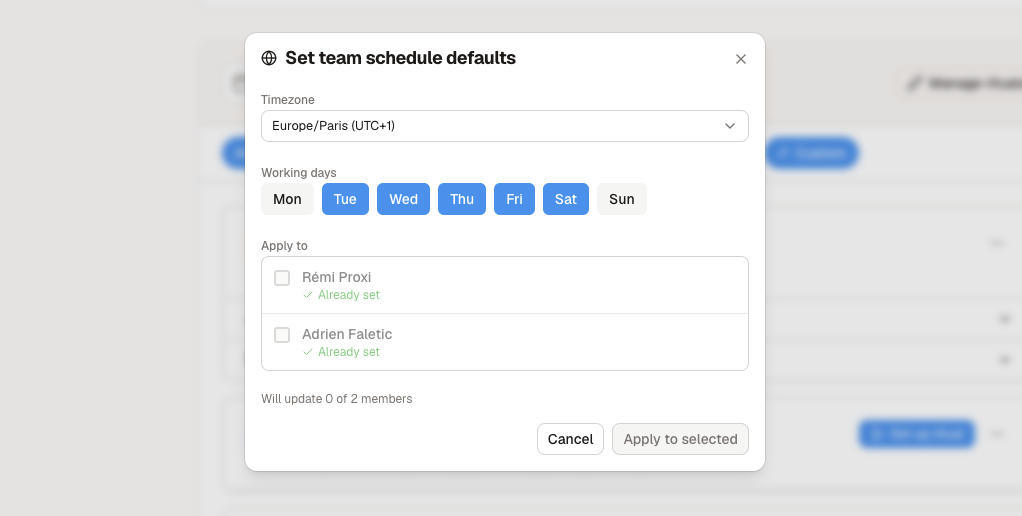
Team members can only have 1-to-1 meetings on workdays on Popwork. Popwork invitations and reminders for rituals are only sent on the employee's working days as well.
Setting your 1-to-1 meetings to the right day
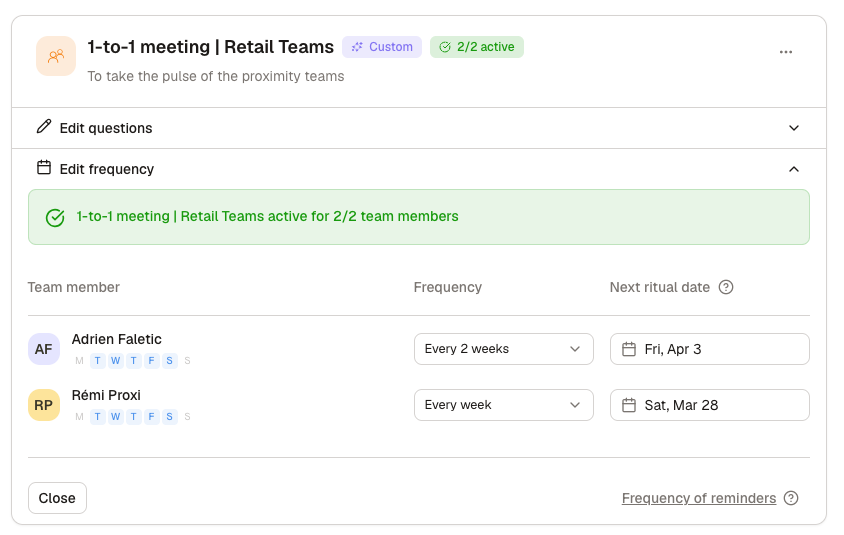
To set the 1-to-1 meeting to the desired day, go to Team settings > 1-to-1 meeting > Frequency and choose your settings.
Was this helpful?
Still need help? Ask the team