Notification preferences
How to manage your notification preferences
Written By Johann Molinari
Last updated 13 days ago
Popwork enables you to choose your notification preferences.
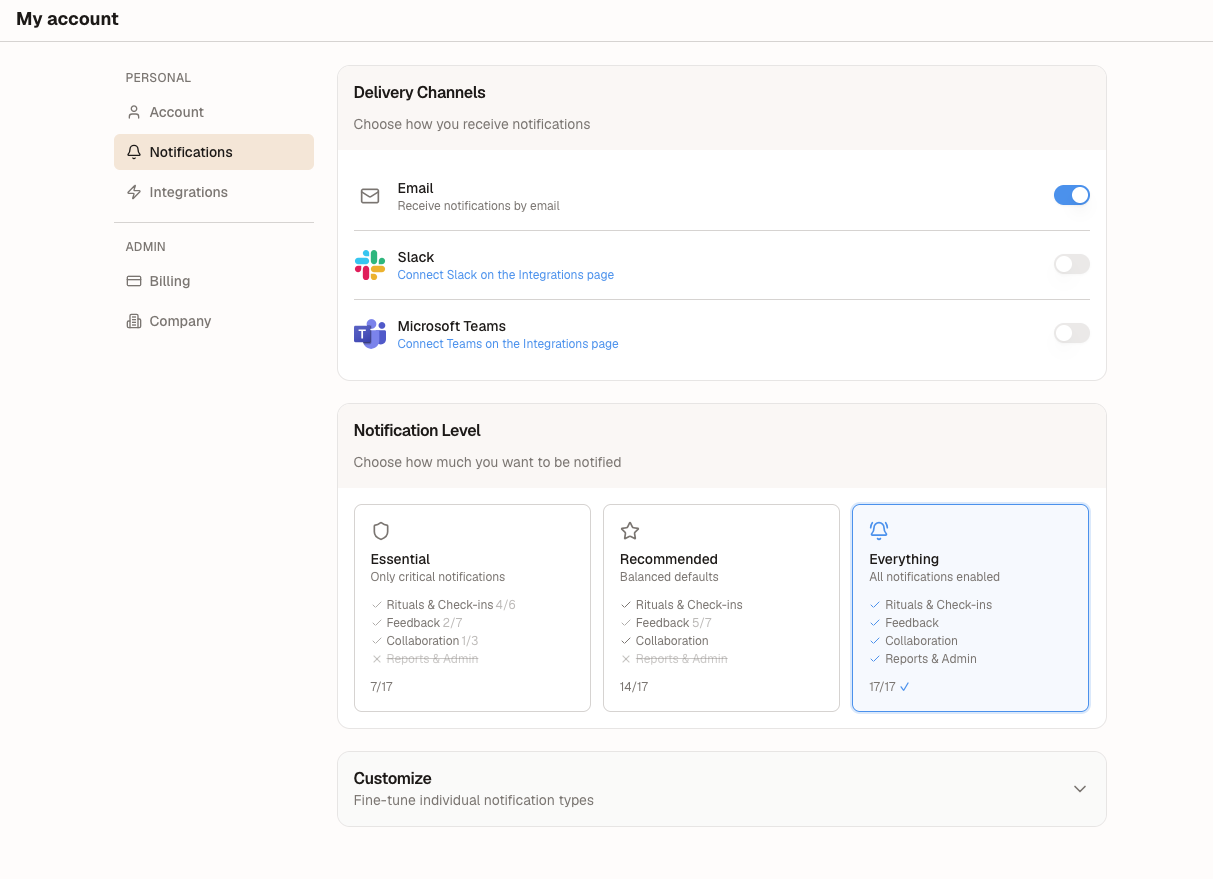
To access your Notifications Preferences, go to My Account > Notifications.
Choose your notification channels
Choose on which channel or channels you want to receive your Popwork notifications. Available channels are email, Slack and Microsoft Teams.
Choose or customize your notifications
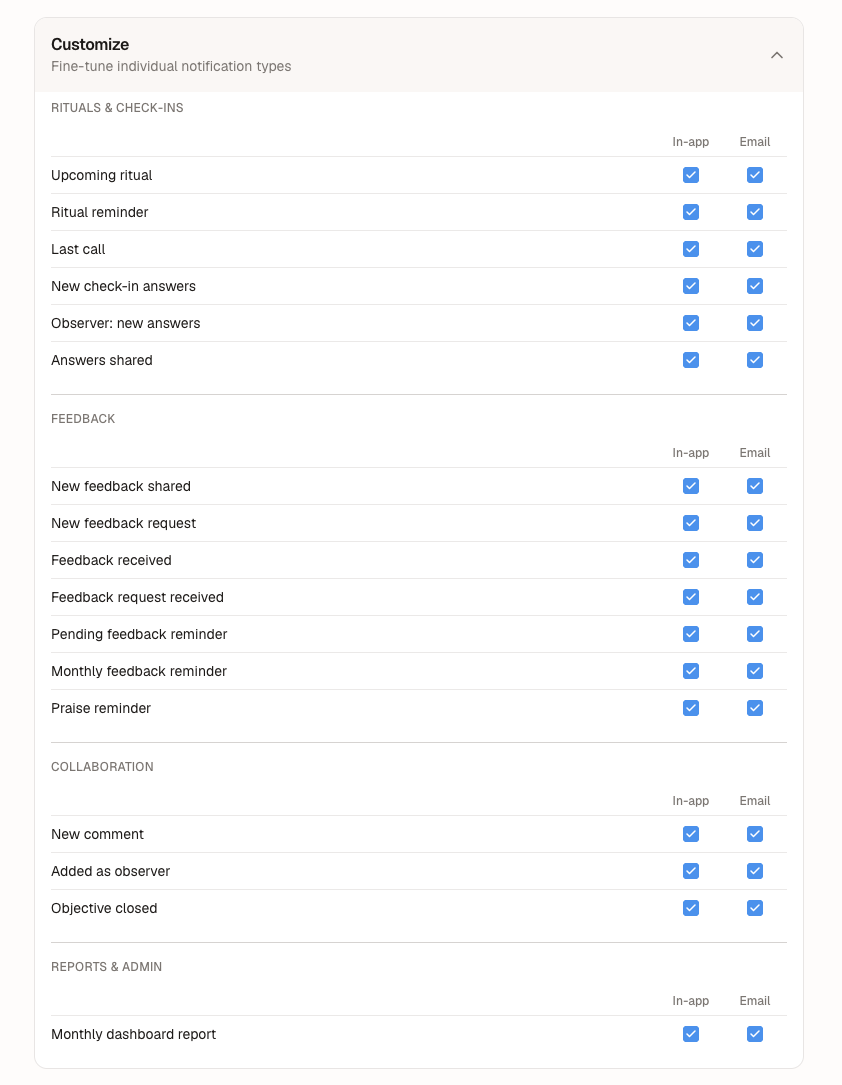
You can go further and decide which notifications you want to receive and where.
You can choose a pre-made notification level: Essential, Recommended or Everything.
You can also go further and customize at the notification type level, and decide if you want to receive it and on which channel(s) - in-app, email, Slack and MS teams (if connected).
Was this helpful?
Still need help? Ask the team