Update to Company Rituals, Adoption Tracker, and Trends
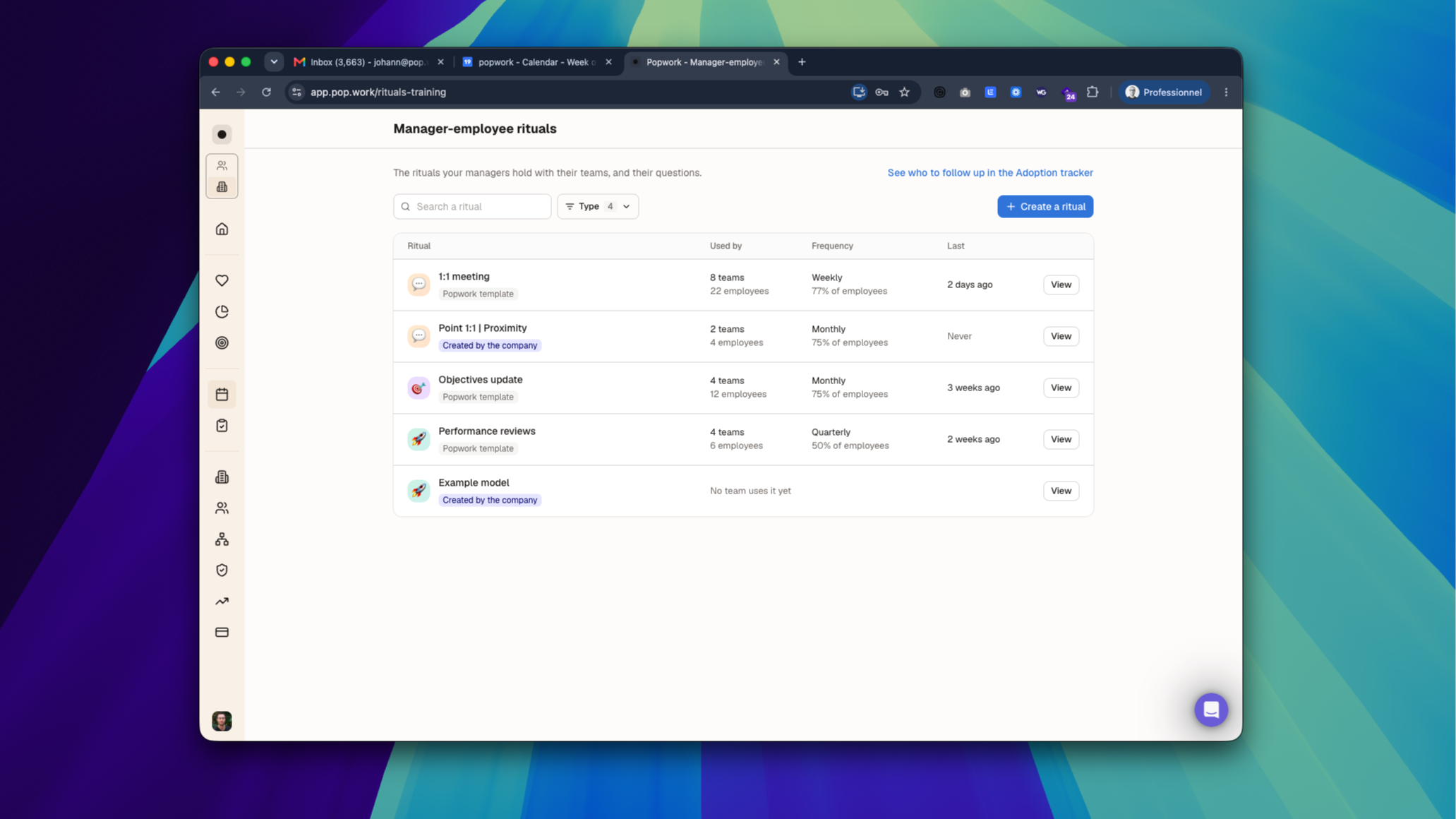
Today's release puts rituals in your admins' hands, tells you who to follow up with, and gives managers a team score they can trust.
Company rituals: one page to run them all 🏢
Admins now have a dedicated rituals page, with a simple and actionable design.
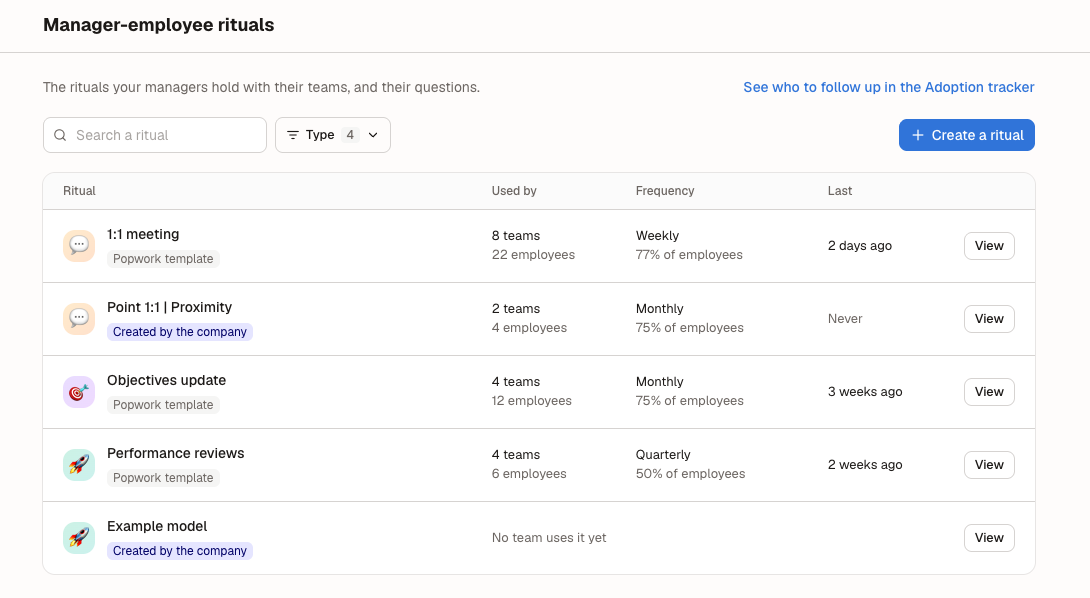
- Usage: every ritual your company runs, with the teams and employees using it, its frequency, and when it last took place
- Follow-up tab: how often a ritual is held over 90 days, month by month and team by team, with a link to the Adoption tracker
- Questions tab: edit the questions of Popwork's rituals.
- Create a ritual: start from blanck page or from a Popwork template
How edits reach teams.
Popwork's proprietary templates are never edited: your first edit creates your company's version. Changes are then pushed to your teams.
Managers add the company's rituals to their team 👥
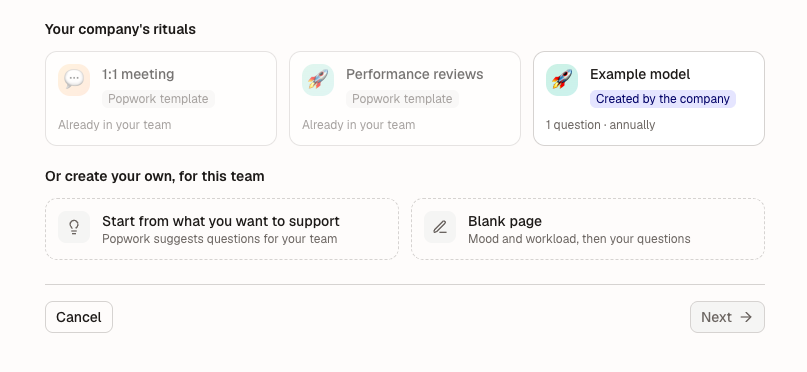
The "add a ritual" screen of a team now opens on your company's rituals: Popwork's own, and the rituals your company created.
Picking one attaches the team to it, so later edits from admins reach the team too. Rituals the team already runs are shown as such.
Good to know.
"Create your own" is still available for companies that let managers edit questions. The entry button is now visible to every manager.
Adoption: who to follow up on 📈
The Adoption page now answers two questions: how far people got, and who to go and see.
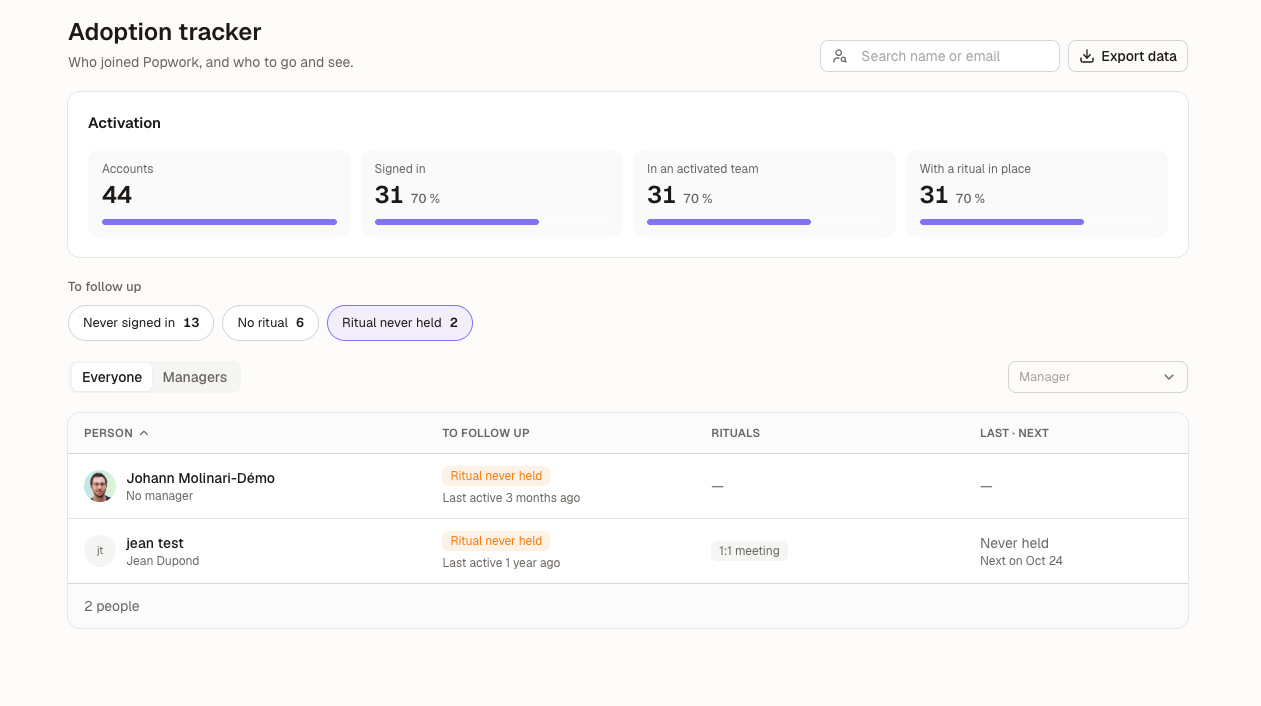
- Activation in steps: accounts → signed in → in an activated team → with a ritual in place.
- To follow up: three lists with counts, covering people who never signed in, people with no ritual in place, and people whose ritual was never held.
- Managers view: team size, share with a ritual in place, last ritual held, and tools connected.
New Adoption widget in People Insights.
Group people by Direction, Service, job title or manager, see who signed in and who held a ritual, and view a month-by-month heatmap. You can pin it to your dashboards.
A team score in Trends 📊
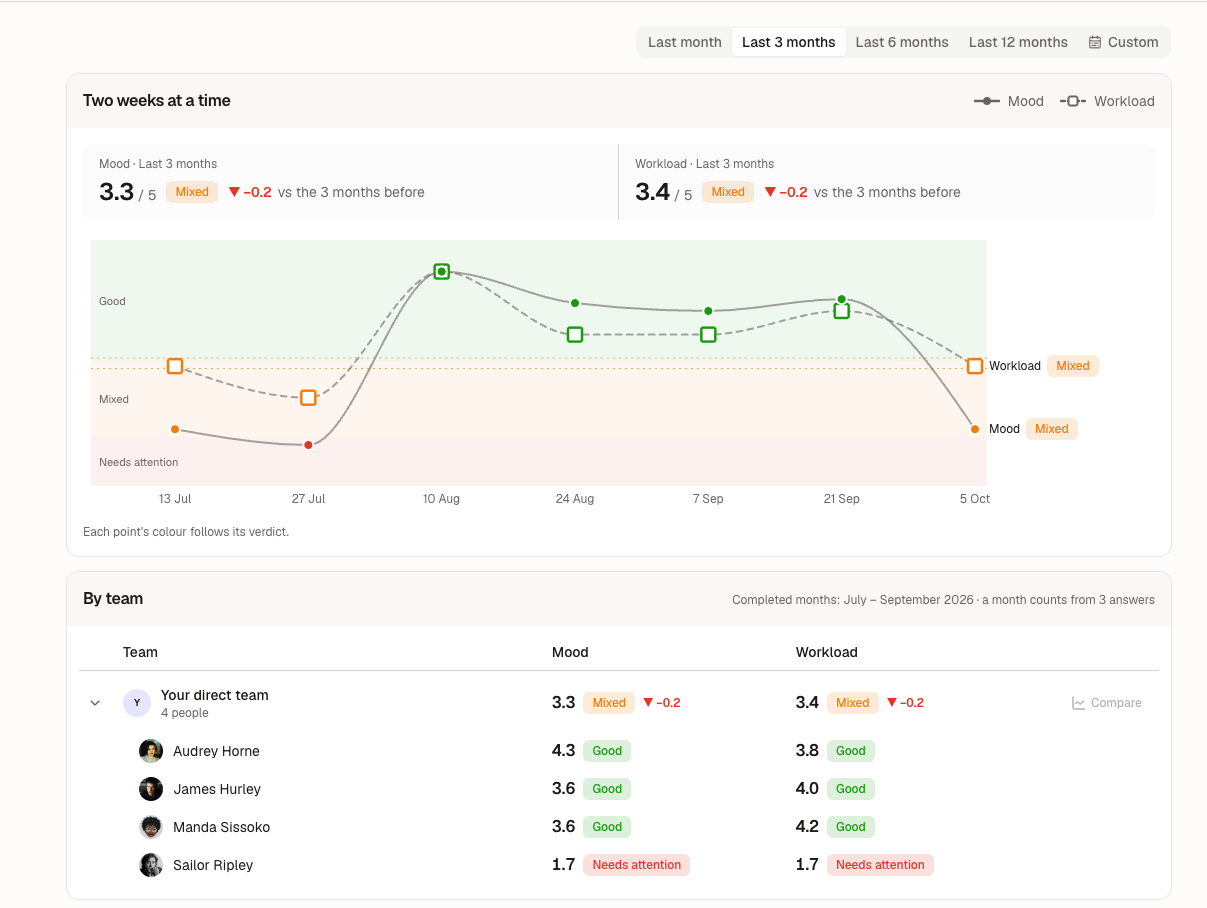
- Team score: the Trends tab shows your team's score out of 5 per indicator, with its verdict and how it moved versus the previous period.
- Your own period: pick last month, 3, 6 or 12 months, or choose whole months.
- By team: if your organization lets managers see the teams below them, explore them in a tree that opens in place, and compare up to three teams on the chart.
- One score everywhere: the home and the engagement dashboard now use the same scoring rule, so a team no longer shows two different mood scores.
Good to know: this alignment moves some numbers. Check-ins with only neutral words (ok, calm, manageable…) now count 3.75/5 everywhere, and check-ins mixing neutral and negative words now read as negative. Expect some team verdicts to change.